Scan to play on mobile
A Block Too Many
How to Play
Game Overview
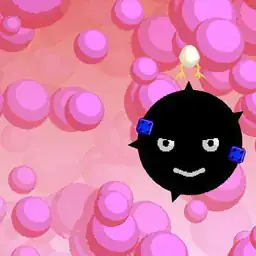
So A Block Too Many--I've been messing around with it for a bit, and it's this block-stacking game where you're an alien trying to get off some weird planet by building a tower to space. The vibe is kinda retro-futuristic, with these chunky, colorful blocks and a spacey soundtrack that's chill but gets tense when your tower starts wobbling. You fly your little ship around, pick up blocks, and drop them on top of each other, but each block has its own weight or bounce or something, so it's not just simple Tetris stacking--you have to think about how it'll land. One bad angle and the whole thing can collapse, which is frustrating but also kind of funny when it happens. The controls are straightforward: on PC you use the keyboard, on mobile there's onscreen buttons, and it works fine either way. There's a challenge mode where you unlock levels by reaching certain heights, an endless mode for trying to set records, and a sandbox mode if you just want to build without pressure. You earn stars for playing, and those buy skins for your ship or temporary boosts like seeing the next block early. Honestly, anyone who liked games like Jenga or even just stacking things as a kid would get hooked--it's simple to pick up but hard to master, and there's a real "one more try" feeling after a collapse. The art is clean and bright, not too busy, which helps you focus on the stacking. It's not revolutionary, but it's solid fun.
About A Block Too Many
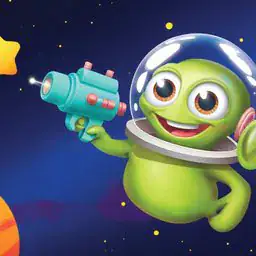
So there's this alien, right? Stuck on a planet, and the only way off is to stack blocks higher and higher until you punch through the atmosphere. That's the whole deal in A Block Too Many. You fly your little ship over to where the next block should go, then drop it. Sounds simple, but each block has its own personality -- some are bouncy, some are slippery, some explode if you look at them wrong. The first few levels ease you in with basic squares and rectangles, but by the time you hit level 12, "Gravity Well," the game starts throwing curved blocks at you that roll off if you don't center them perfectly. Your hands are busy: on mobile you tap and drag the ship into position, on PC you use arrow keys or WASD, plus spacebar to drop. You're constantly judging distances and angles, because one bad placement and the whole tower wobbles, then collapses in a shower of pixels. The satisfying moment is when you catch a block mid-air that was about to tip, and it locks into place with a solid thunk -- that feeling never gets old. Difficulty ramps up in stages. Early on, it's just height targets. Then around level 8, "Stack or Bust," you get blocks that shrink if you wait too long to drop them. Later, in "Double Trouble" (level 15), blocks come in pairs that you have to stack simultaneously, which makes you juggle two positions at once. There's also a block type called "Mimic" that copies the shape of the last block you placed, which messes with your rhythm. The upgrade system uses stars you earn by hitting height milestones. You can buy temporary boosts like "Next Block Preview" -- shows what's coming two drops ahead -- or "Ship Speed" to zip across faster. Permanent skins are cosmetic only, but some are kind of funny, like the banana costume. Endless mode just keeps going until you mess up, and Sandbox mode removes all pressure -- you can stack blocks without worrying about collapse, which is nice for testing wild shapes. There's no big story payoff; you just keep climbing until you escape or fall.
Tips & Tricks
Your ship speed matters more than you think early on. I kept failing because I rushed the placement, but taking that extra half-second to line up blocks saved me from countless collapses. The temporary speed upgrade is actually a trap in challenge mode -- it makes you overshoot constantly. Save those stars for the 'next block preview' instead; knowing what's coming lets you plan your stack's shape way ahead. Another thing: blocks with weird shapes, like the L-shaped ones, are best placed against the edge of your tower. That way the overhang doesn't throw off your center of gravity as badly. I learned this after my twenty-seventh collapse at the same height. Also, don't ignore sandbox mode for practicing tricky block combos without the pressure. I spent an hour there figuring out how to stack the wobble blocks, and it paid off in endless mode. One more mistake I kept making: trying to build straight up every time. Sometimes a slight zigzag pattern actually holds better if you're alternating block types. The game doesn't tell you that, but the physics feel more forgiving that way. And for the love of everything, watch out for the gravity-altering blocks -- they flip your controls for a few seconds, and I'd always panic and drop my tower. Just wait them out if you can, or place them at the very bottom where they won't destabilize you.




Comments
Please login to leave a comment.