Scan to play on mobile
Car Crash Test: Abandoned City
How to Play
Game Overview
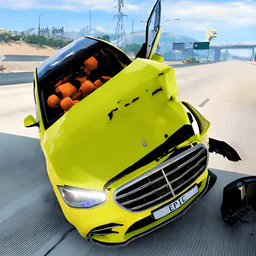
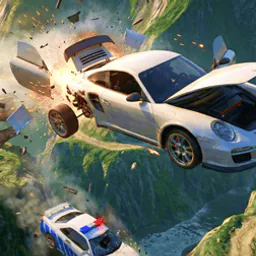
So I''ve been messing around with this game called Car Crash Test: Abandoned City, and it''s exactly what the title sounds like -- you drive cars into stuff until they fall apart. The setting is this empty, rundown city called Bimka, which feels like a ghost town from a disaster movie. Everything''s gray and dusty, with ramps and giant presses scattered around like playground equipment for adults. The visual style isn''t pretty, but the destruction physics are surprisingly detailed -- doors pop off, hoods fly up, wheels bounce away when you hit a wall at full speed. It''s janky in a fun way, not a polished game by any means. You control your car with WASD, hit space to brake hard, shift for nitro, and there''s even a button to slow down time (B), which makes crashes look ridiculous in slow-mo. The vibe is pure chaos -- you''re not racing to win, you''re just wrecking things. You can customize your car''s color and wheel size, which feels unnecessary but kind of cool when you make a bright pink beater. Other cars drive around and you can crash into them, but there''s no real competition -- it''s more about seeing how many pieces fly off. People who''d get hooked are the ones who loved games like BeamNG.drive but want something simpler and less punishing. It''s mindless entertainment for 20 minutes, not a deep experience.
About Car Crash Test: Abandoned City
So this game is basically what it sounds like -- you drive cars in an abandoned city called Bimka and smash them into things until they fall apart. The loop is simple: pick a car, drive around, find ramps or other cars to crash into, and watch the damage happen in real time. Doors pop off, hoods fly up, wheels break loose and roll away. There's no real story or mission structure, which is fine because the fun is in the chaos.
Your main objective is just to cause destruction. You can race other AI cars on the roads, but the real goal is to hit them head-on or send them into barriers. There are crash test sites scattered around -- these are specific areas with big presses, spike traps, and giant hammers that smash cars flat. One spot called the Compactor Zone has a hydraulic press that slowly crushes anything underneath it, and getting your car stuck under there while trying to escape is both annoying and hilarious.
Controls are WASD for steering, space for brake, shift for nitro. Nitro is essential for building up speed before big jumps or ramming other cars head-on. C switches between third-person and in-car camera -- the in-car view is surprisingly useful for judging how close you are to other cars. R puts the car back upright if you flip over, which happens a lot. B slows down time briefly, letting you watch the destruction frame by frame, and that's where the satisfying moments come in -- seeing a wheel tear off and tumble down the street.
Difficulty doesn't ramp up in a traditional way. Instead, later areas of the city have tighter spaces and more aggressive AI cars that actively chase you. Some cars are tougher -- like the Tank variant which has reinforced panels that take longer to break. Customization is simple: change body color, adjust wheel size and position. Bigger wheels make the car unstable but allow for crazier jumps. You can also swap wheels front to back, which affects handling 💥.
The satisfying part is when you hit another car at full nitro speed and both cars explode into pieces -- doors, hood, trunk, everything scatters. Or when you time a jump perfectly onto a ramp and land on top of a moving car, crushing its roof. There's no real end goal, so you just keep doing that until you get bored. The game also has a garage where you can repair your car completely with K, but the damage stays on the model until you switch vehicles. Tab opens a pause menu but there's no save system, so you lose progress if you quit.
On mobile, the controls are touch buttons, which work okay but feel less responsive than keyboard. Still, the chaos translates well enough.
Tips & Tricks
You can save a lot of headache by remembering that the repair button (K) works even mid-air. I wasted way too much time waiting for my car to land before hitting it while upside down. The nitro (Shift) is best saved for ramps, not straightaways--using it on flat ground just makes you harder to control before the actual crash. If you want to get the most out of the slow-motion button (B), tap it right as you hit something, not before. Timing it wrong just makes the approach drag. One mistake I kept making was ignoring the wheel alignment slider in customization. Moving the wheels inward a bit makes the car more stable for jumps, but wider wheels look cooler for screenshots--pick what matters. The camera switch (C) is your friend in tight spaces; the default angle hides the press pads sometimes. For the press specifically, drive slow and let it drop on you; speeding through just bounces you off. Also, if you want to chase other cars for a good collision, don't use nitro--they're faster than you think and you'll overshoot. Just match their speed and steer into them. Finally, the button to change car (N) can be spammed to cycle through vehicles fast, but it resets your position, so don't use it mid-stunt unless you want to start over.









Comments
Please login to leave a comment.