Scan to play on mobile
Connect Puzzle Image
How to Play
Game Overview
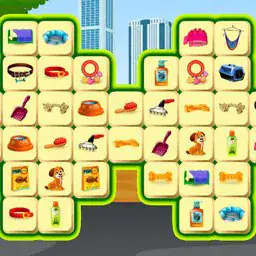
So this is basically a digital jigsaw puzzle game, but it''s not the kind where you drag a thousand identical-looking sky pieces around. The images are more like those cute sticker mosaics or pixel art you''d see on an old game boy advance -- bright colors, simple shapes, characters with big heads and tiny bodies, food that looks way too cheerful. You tap a piece, drag it to where it probably goes, and if you''re right it snaps into place with a satisfying click sound. Wrong placement gets a little shake, no punishment, just try again. The levels start easy -- maybe twenty pieces of a cartoon cat -- then ramp up to like a hundred pieces of a spaceship or a sushi platter with shadow gradients. What got me was the lack of a timer. No score, no combo meter, no pressure. You can sit on one puzzle for twenty minutes while watching a show, or blast through three in a row during a bus ride. The vibe is chill, frankly. It''s got that "one more piece" loop that makes you forget you were supposed to do laundry. I''d say anyone who ever liked those brain break apps or those little magnetic puzzle books in waiting rooms would get hooked. It doesn''t try to be deep -- it''s just nice to see a picture come together from chaos.
About Connect Puzzle Image
So here's the deal with Connect Puzzle Image -- you start with a mess of pieces scattered across your screen, and your job is to drag them around until they snap into place. It's not a typical jigsaw where you're sorting edge pieces first; instead, each piece has connectors -- little tabs and slots -- that you have to match up by rotating and sliding them with your finger. The first few levels, like "Cute Cat" or "Sunny Beach," are pretty chill -- maybe 16 pieces, all shapes are distinct, and you can brute-force it by just trying everything. But then the game hits you with something like "Steampunk City." Now you've got 64 pieces, and half of them look identical until you zoom in on the texture. That's when the real puzzle starts.
The loop is simple: tap a piece to pick it up, drag it near another piece that seems like it fits, and if the connectors align, they snap together with a satisfying click and a little sparkle effect. If they don't fit, the piece bounces back to its original spot, which can get annoying when you've got a cluster of pieces overlapping. Later levels introduce "Locked Pieces" -- these have a little padlock icon, and you can't move them until you've connected a certain number of surrounding pieces first. That forces you to plan your approach rather than just randomly pairing things up. There's also a "Timer Mode" that unlocks around level 15, where each puzzle has a countdown, and completing it early gives you bonus stars. Those stars let you buy hints -- which highlight a single correct connection -- or skip a level entirely if you're stuck.
The satisfying moment comes when you've placed the last piece and the full image renders with a smooth animation. It's not just about finishing; the game gives you a score based on how many moves you made (fewer is better) and how many times you used hints. I found myself replaying "Autumn Forest" multiple times just to cut my move count from 83 to 68. The difficulty doesn't ramp linearly either -- some levels like "Neon Diner" are easy despite being 100 pieces because the colors are distinct, while "Kaleidoscope" with only 36 pieces took me forever because every piece looks like a rainbow blur. The brain work here is mostly spatial reasoning and pattern matching, but there's also a memory aspect -- you start recognizing which connector shapes belong to which regions of the picture as you go. It's a solid time waster, nothing groundbreaking, but the clicky feedback and the slow reveal of the image keep you going. Oh, and there's a "Zen Mode" with no timer or scoring -- just pieces and silence, which is nice if you want to zone out.
Tips & Tricks
The edges might feel obvious, but they're actually a trap -- some border pieces fit perfectly but belong a row in. Start by sorting pieces by color or pattern chunks instead, it saves the headache of rebuilding a frame twice. I kept trying to force similar-looking pieces together, but the game's snap detection is picky about exact rotation. Tap once to rotate a piece before dragging -- that tiny step stopped me from wasting time jamming wrong angles. Early levels are forgiving, but once you hit the food-themed puzzles, shadows become your best friend. A piece's shading often matches where it sits in the image, like a darker corner for a burger's underside. One trick I learned late: the pause button doesn't just stop the clock -- it locks your current arrangement, so you can step back and spot mismatches without losing progress. Don't bother with the hint button unless you're truly stuck, it highlights a single piece and costs points. For the big 100-piece puzzles, work in clusters -- finish the character's face completely before touching the background. I once spent 15 minutes trying to place a sky piece that turned out to be a hair chunk, which taught me that context beats color every time.


















Comments
Please login to leave a comment.