Scan to play on mobile
Draw Bridge - Brain Game
How to Play
Game Overview
So I picked up Draw Bridge - Brain Game expecting another generic puzzle thing, but it''s actually pretty fun in a simple way. You''re basically this person who draws little roads or bridges so a tiny car can drive across gaps and around obstacles to reach the goal. The whole game is this 2D side-scrolling setup with clean, colorful visuals that feel like a mobile game from a few years ago--not flashy, but easy on the eyes. The vibe is quiet and focused; there''s no timer screaming at you, just you and your finger trying to figure out how to connect a path. You touch the screen, drag to draw a shape, release, and the car rolls along whatever you made. It''s super intuitive--anyone can pick it up in seconds. The tricky part is that the physics are real: if your bridge is too steep or has a gap, the car just falls off. You''ll redraw stuff a lot, which honestly feels satisfying when you finally nail it. What got me hooked was how creative you can get--there''s usually more than one way to solve a level, so you feel smart when you find a shortcut no one else tried. The game rewards you with coins to buy new car skins and exhaust effects, which is nice but not the main draw. This is perfect for anyone who likes calm puzzle games with a bit of trial and error--people who enjoyed games like World of Goo or even just doodling during class. It''s not intense, just chill and a little addictive.
About Draw Bridge - Brain Game
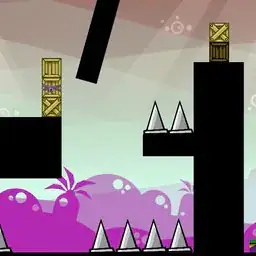
Draw Bridge - Brain Game is one of those puzzle games where you draw lines and hope the car doesn't fly off a cliff. The core loop is simple: you draw a bridge or path for a car to reach a flag. You use your finger or mouse to sketch rough shapes -- curves, ramps, straight lines -- and when you let go, the car rolls along whatever you made. If it crashes or falls, you retry. The satisfying moment comes when your janky bridge actually holds and the car glides over spikes or gaps. Early levels like Green Meadow teach you basic ramps and slopes. Then you hit Lava Canyon and suddenly there are fire pits and moving platforms. The game introduces hazards like Crusher Blocks that smash your bridge if you draw under them, and Boost Pads that launch the car over gaps -- you need to angle your bridge to catch the car mid-air. Later, Wind Zones push your car sideways, so you have to draw barriers or tilted roads to fight the gust. The difficulty builds by stacking these mechanics: a level might have wind, crushers, and a split path where only one route works. The game rewards you with coins for each clear, and you spend those in the garage. There are skins like Stealth Black or Rainbow Trail, and exhaust effects that leave sparkles or smoke. No stat upgrades -- it's all looks. The controls feel immediate: touch and drag anywhere on screen to start drawing, the line follows your finger, and releasing starts the car. You can undo a bad line by tapping a button or just letting the car crash and retrying. What's clever is that there's no single solution -- you can draw a long gentle slope or a short steep ramp, and both might work if you time it right. This agency makes replaying levels fun, especially when you unlock Challenge Mode which gives limited drawing time or ink. The visuals are 2D and clean, almost like a sketchbook, which helps you focus on physics. The game runs smooth even on bad internet thanks to HTML5, and your progress saves cross-device if you log in. It's not a brain-buster but it's satisfying when your hand-drawn mess actually works.
Tips & Tricks
The first mistake I made was drawing bridges that were too thick, which actually wastes ink and can mess up your timing since the car slows down on uneven surfaces. Keep your lines thin and smooth -- the car handles best on a path that's just wide enough for its tires. Those early levels teach you bad habits because they're generous, but later ones punish sloppy lines hard. Pay attention to the arrows on the ground in some stages; they hint at which direction the car needs to angle, not just where to go. I kept ignoring them and wondered why the car flipped. Another thing: you don't always need a full bridge. Sometimes a ramp to launch over gaps works better and saves resources. The exhaust animations aren't just cosmetic -- certain ones leave smoke trails that actually obscure your view in tight sections, so pick the simpler ones for tough puzzles. Also, if you're stuck, try drawing the path backwards from the destination. That trick got me through a level where I kept overcomplicating the approach. And don't rush the drawing; holding your finger steady for a second before releasing makes the car start more predictably. One level had me redoing it ten times because I lifted my finger too fast and the car launched at a weird angle.












Comments
Please login to leave a comment.