Scan to play on mobile
Fill The Lines
How to Play
Game Overview
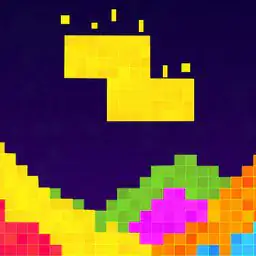
Fill The Lines is one of those puzzle games that doesn't try to impress you with flashy graphics or a deep story -- it's just you, a bunch of colorful block pieces, and a weirdly satisfying shape to fill. The visual style is clean and minimal, almost like a digital coloring book where every piece snaps into place with a quiet thud. You drag these blocks -- which look like tangled line segments or little Tetris-like blobs -- onto a grid and try to cover every blank spot without leaving gaps. There's no timer, no score, no way to lose, so the only pressure is whatever you put on yourself. The vibe is super chill, almost meditative, because you can just sit there dragging pieces around until something clicks. Some levels are dead simple, over in seconds, while others make you stare at the screen for five minutes wondering why that one corner won't fit. The game has hundreds of levels, so it's easy to get lost in for an hour or two. I could see this hooking anyone who likes logic puzzles like Sudoku or Picross, or even people who just want something to do while listening to a podcast. It's not groundbreaking, but it doesn't need to be -- it's just a solid, relaxing time-waster that scratches that completionist itch without any stress.
About Fill The Lines
So you've got these puzzle shapes made of blank squares, and a collection of colorful blocks at the bottom. Each block is a cluster of line segments or shapes -- think Tetris pieces but more abstract, like a zigzag or an L-shape with a tail. You drag one with your finger or mouse and try to fit it into the shape. The goal is to cover every empty spot without leaving gaps. That's it. No timer, no score, no losing. Just you and the puzzle.
The early levels are small -- maybe a 5x5 grid with simple pieces that slot in like a jigsaw. You'll breeze through those, feeling clever. Around level 15, things get interesting. The shapes get bigger, more irregular, and the blocks start having multiple orientations -- you can rotate them by tapping or right-clicking, which the game never explicitly teaches you, but you'll figure out fast. By level 30, you'll encounter "bridge" pieces that look like two separate segments connected by a thin line, and "spiral" blocks that curve in ways that make you stare at the screen for a minute.
The satisfying moment comes when you've placed four or five blocks and suddenly see how the last one fits perfectly, snapping into the only remaining gap. That click of realization is what keeps you going. The game does have a hint system -- a light bulb icon that shows you one correct placement, but using it feels like cheating, so most people save it for the really nasty ones like "The Maze" or "Cascade" levels.
Difficulty doesn't ramp linearly. Some levels in the 40s are easier than ones in the 20s. There's a level called "Spiral Staircase" that took me fifteen minutes, and another called "Broken Grid" that I solved in thirty seconds. The game also throws in "ghost blocks" later -- translucent pieces that overlap with placed ones but still count as empty until you cover them, which messes with your head. No upgrade system, no enemies, just pure spatial reasoning. The loop is simple: look at the shape, scan the available blocks, try a piece, undo if it doesn't work, try again. Your brain gets a workout, but your hands just drag and drop. It's oddly meditative. There are over 300 levels, and they just keep coming with no end in sight 💥.
Tips & Tricks
The blocks you drag don't always have to face the same direction as they appear on the bottom -- try rotating them in your head before placing, because some shapes fit only when flipped or turned. I spent way too long on an early level because I kept trying to force a corner piece into a straight gap. Another thing: the puzzle shape's outline matters a lot -- look for clusters of two or three empty spots that match a block's exact pattern, and start there. One mistake I made was dragging blocks from the center out; instead, fill the edges first, because those spots have fewer matching options and lock the solution faster. Also, some blocks have symmetrical patterns that can fit in multiple places -- test them in different orientations before committing, since a wrong placement early can waste time backtracking. If you're stuck, try picking up a block and hovering it over the shape without dropping it -- the game doesn't penalize you for hovering, so you can mentally trace if it fits. Finally, don't rush through levels thinking you'll remember the solutions; the later puzzles reuse block shapes in tricky new ways, so paying attention now saves frustration later.










Comments
Please login to leave a comment.