Scan to play on mobile
Pop Culture Halloween Makeup
How to Play
Game Overview
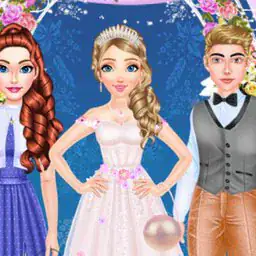
So I tried this Pop Culture Halloween Makeup game, and it's basically a dress-up simulator with a Halloween twist. You get a blank face and then you can slap on all sorts of makeup inspired by famous characters -- think movie villains, pop stars, that kind of thing. The visual style is pretty cartoony, bright colors, almost like a digital coloring book for faces. There's a ton of options: hairstyles that range from wild wigs to sleek bobs, eyeshadows in every shade, lipsticks that go from normal red to black or green. What got me was the neck paint and tops -- you can change the whole outfit, not just the face, which makes the finished look feel complete. The vibe is less about skill and more about messing around. You just click or tap to pick a color, drag it onto the face, and layer stuff until it looks right. No timer, no scoring, which means you can take forever deciding between two blushes. The controls are dead simple -- mouse on a computer, tap on a phone -- so anyone can jump in. Who'd get hooked? Kids who love Halloween and dressing up, definitely. But also anyone who enjoys those old paper dolls or just wants to kill ten minutes making a ridiculous vampire clown. It's not deep, but it's oddly satisfying seeing a recognizable character come together from scratch.
About Pop Culture Halloween Makeup
Pop Culture Halloween Makeup is exactly what it sounds like -- you're given a blank-faced model and a ton of cosmetic options to turn them into a recognizable pop culture character. The game starts simple: pick a character theme from a row of icons like "Zombie Pop Star" or "Witchy Superhero." You get a face, and then you work through categories -- hair, eyeshadow, mascara, lipstick, blush, neck paint, tops, accessories. Each category has maybe five to eight choices, and you just click to apply them. The first few levels are basically tutorials disguised as free play. You're just messing around, seeing what looks match the theme. But by level three ("Celebrity Ghost"), the game starts caring about accuracy. A meter appears at the top -- "Iconic Match" -- that fills up the closer your makeup matches the target character. If you pick a blue eyeshadow when the reference uses green, the meter drops. That's when the real loop kicks in: you're scanning the reference image on the side, then scrolling through options, trying to find the exact shade of red lipstick or that specific star-shaped earring. Your brain is doing visual matching, memory recall, and color comparison all at once.
The difficulty builds by giving you more categories to manage and tighter matches. Later levels like "Alien Influencer" and "80s Horror Host" introduce a timer -- you've got two minutes to complete the look. Some options are intentionally similar, like two nearly identical black eyeliners where one has a tiny sparkle. Miss that, and the meter won't max out. The satisfying moment comes when you nail the final accessory -- say, the correct necklace -- and the meter hits 100%. The model does a little spin, and you unlock a new palette or a hairstyle for future use. There's also a "Quick Match" mode where you get random themes back-to-back with no breaks, which ramps up the pressure. On mobile, you're tapping through categories fast, sometimes accidentally brushing the screen and applying the wrong blush -- which is annoying but adds a layer of precision. The game never explains half of what I just said; you figure it out by failing a couple of "Iconic Match" checks. The controls are just point and click or tap, but the real work is in your eyes and memory. There's no upgrade tree or currency -- just the satisfaction of getting the look right and seeing that meter fill.
Tips & Tricks
Starting out, I kept trying to match the reference image perfectly, which is a trap. The game's color palette doesn't always match real-life shades, so trust what looks good on the digital face instead. Layering eyeshadow is key--apply a base color first, then add a darker crease shade. I messed up a few looks by skipping that step. That neck paint option? It's not just for vampires. Use it as a foundation or contour to make the character's face pop more. Blush placement matters more than you'd think; putting it too low makes the face look droopy. Keep it on the apples of the cheeks. Accessories are a lifesaver when you're stuck--a bold hat or glasses can hide a messy makeup job. I once spent 20 minutes fixing an eyeliner mistake before realizing a witch hat covered it entirely. Also, the undo button is your best friend. Don't be stubborn like me; use it early and often. Finally, save your favorite combos as templates early on. The game lets you tweak them later, which saves time on future attempts. Play around with the hairstyles too--some clash with certain neck paints, which I learned the hard way during a zombie princess attempt.























Comments
Please login to leave a comment.