Scan to play on mobile
Barbie’s Sketch
How to Play
Game Overview
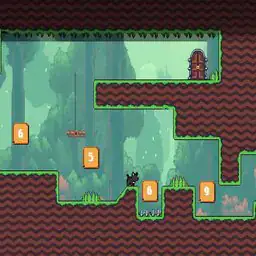
So I tried this game called Barbie''s Sketch, and it''s not what I expected from a Barbie game at all. It''s a puzzle-platformer where you control Barbie through these colorful hand-drawn-looking levels. The whole gimmick is that Barbie has this sketchboard, and you can draw things into the world to help her get around. Like, there''ll be a gap you can''t jump over, so you sketch a bridge. Or a wall too high, so you draw a ramp. It feels more creative than most platformers because you''re not just jumping and running--you''re problem-solving with art. The visual style is really charming, all bright pastels and sketchy lines that look like they came out of a coloring book. Each level has its own theme, like a forest or a castle, and the backgrounds are full of little details that make it feel alive. Playing it, you''re mostly tapping buttons to speed up or jump, but the drawing part is where the fun is. You have to figure out what shape or path will actually work, which sometimes takes a few tries. It''s not hardcore or punishing--more relaxing, like a cozy puzzle game. I think younger kids would get hooked because it''s not too tough and the art is cute, but older players might find it a bit simple after a while. Still, if you like games where you have to think a little and create your own solutions, this one''s worth a look.
About Barbie’s Sketch
I''ve spent a fair amount of time with Barbie''s Sketch, and honestly, it''s weirder and more fun than I expected. The core loop is simple: you control Barbie as she runs through these hand-drawn-looking levels, and you''ve got a sketchboard that lets you draw platforms, bridges, and sometimes entire structures into existence. Your right hand is on the jump button (right side of the screen, tap to hop), and your left thumb is on the speed-up button (left side, hold to make her run faster). The game is a platformer at heart, but the twist is that you can''t just jump over gaps--you have to stop, draw a ramp or a bridge, and then cross. The first world, "Doodle Valley," introduces this gently: small gaps, simple slopes. You tap the sketchboard icon, draw a line with your finger (or mouse click), and poof, a solid shape appears. It''s satisfying in a very tactile way, like you''re literally building the path as you go.
Difficulty ramps up in the second world, "Inkwell Forest." The game starts throwing obstacles like moving blocks and spiky plants that pop up from the ground. You''ll need to draw not just static bridges but also ramps that angle into the air to reach higher ledges. There''s a mechanic called "color mixing" that appears around level 2-4--if you tap the sketchboard while standing in a pool of colored ink, your drawn structures change properties. Blue ink makes platforms slippery, red ink makes them sticky (you can wall-jump off them), and yellow ink makes them bouncy. I spent a good ten minutes just bouncing Barbie around like a pinball in one level. The game doesn''t tell you about these combinations; you figure it out by trial and error, which feels genuinely rewarding.
Enemies show up in world three, "Sketch City." There are these little ink blob monsters that patrol paths, and a flying eraser enemy that tries to delete your drawn structures if you don''t move fast enough. To deal with them, you can draw barriers to block their movement or use speed bursts (the left button) to dash past. The speed-up button is crucial here because it also lets you outrun collapsing platforms in later levels. The satisfying moments are when you chain a speed dash, a jump, and a quick sketch all in one fluid motion--like crossing a crumbling bridge while drawing a new ramp mid-air. There''s no upgrade system exactly, but your sketchboard gets a wider brush stroke and a longer range after you collect enough stars in each world. The game doesn''t hand you the solution; it makes you think about geometry and timing. And for some reason, the music is this cheerful synth loop that gets stuck in your head. I wish there were more enemy types past world three, but the level designs keep you on your toes. The final world, "Dreamscape," has these moving platforms that shift based on the color of your sketches, so you have to constantly adjust your strategy.
Tips & Tricks
The sketchboard is your main tool, but it has limits. Don''t try to draw huge ramps right away--they take too long and you''ll miss the timing. Instead, sketch smaller, angled platforms that let you chain jumps together. I wasted a ton of lives trying to draw a full bridge across a gap before realizing you can just draw a short ledge and jump from there. Speed is actually your friend more than you think. Holding down the speed button while jumping makes you cover more distance, which is critical for those wider pits. But careful--speed also makes you slide on platforms, so let go before you reach the edge. Another thing that caught me: the sketchboard can erase too. If you draw something wrong, don''t panic--just swipe over it again and it''ll vanish. This saves you from restarting a level when you mess up a platform placement. Also, the game has secret collectibles hidden behind walls that look solid but are actually sketchable. Tap on suspicious-looking blank spaces; sometimes you can draw a door there. Finally, don''t rush the levels with water or lava. Drawing bridges over those requires precision--make them too short and you fall in, too long and you run out of sketch time. Plan your line before you start drawing.










Comments
Please login to leave a comment.