Scan to play on mobile
Car Parts Coloring Book
How to Play
Game Overview
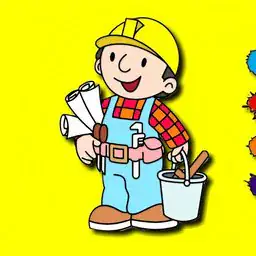
So Car Parts Coloring Book is exactly what it sounds like -- you get these eight black-and-white line drawings of car stuff, like an engine block, some wheels, a classic hot rod, that kind of thing. The art style is simple, almost like a children's coloring book you'd buy at a dollar store, which honestly works fine for what it is. You pick from 23 colors, which is a decent selection but nothing crazy, and you just tap or click to fill in the sections. There's no fancy shading or layering tools, it's basic paint-by-numbers kind of coloring. What surprised me is the timer -- it actually counts how long you take, and it gives you a score at the end based on speed. So there's this weird pressure to color fast, which feels less relaxing and more like a race. The vibe is kind of mixed: if you're a kid who loves cars and just wants to mess around with colors, it's fun for a while. But the timer makes it stressful if you're trying to be neat. The backgrounds are plain white, the sound effects are minimal -- just a few clicks and a little jingle when you finish. It's not a deep game, it's a quick distraction. Who'd get hooked? Probably younger kids, maybe ages 5 to 10, who are into cars and don't mind the timer. Older players might find it too simple or the time pressure annoying. I'd say it's decent for a few minutes of busywork, but not something you'd play for hours.
About Car Parts Coloring Book
So you open this game and you're looking at eight car-themed coloring pages. That's it -- that's the whole game. Each page has a different car part or design: there's an engine block, a spoked wheel, a vintage convertible, a racing stripe, a muffler, a dashboard, a headlight assembly, and a classic muscle car. You pick one with a click or tap, and it fills the screen. You've got 23 colors on a palette down the bottom -- mostly standard crayon colors like red, blue, green, yellow, plus some metallic silvers and chrome shades. You just tap a color, then tap the area you want to fill. The game auto-fills enclosed spaces, so if you click on a wheel hub, it colors that whole piece without bleeding into the tire. That's actually satisfying because it's instant and clean. There's a timer that starts counting up as soon as you begin coloring. You're racing against yourself -- no enemies, no lives, just a clock. The goal is to finish the page as fast as you can. Once you're done, the game gives you a score based on time and if you used all colors or stayed within the lines (it only checks if you did any messy clicks outside the lines, which costs points). Finishing under 30 seconds gets you a gold star, under a minute is silver, over that is bronze. There's no real punishment for a bronze -- just less satisfying. The tricky part is that some sections are tiny -- like the dashboard has ten tiny gauge dials. Clicking the wrong color on those can mess up your speed because you have to undo with the eraser button, which takes two extra taps. The undo erases the last filled area, not a specific spot. Later levels like the engine block have lots of overlapping parts, so you have to plan which color goes where to avoid redoing work. The most satisfying moment is when you nail a complex page like the muscle car -- that one has a hood scoop, grille, and decals -- by picking a scheme and filling it in maybe 25 seconds flat. You can save each finished page as a PNG to your device, and there's a share button that opens your phone's share menu. No online leaderboard, no upgrades. The game doesn't get harder in a traditional sense -- it's just that the illustrations get more intricate, and you naturally try to beat your own times. You can replay any page anytime. That's the loop: pick, color, race, save, repeat. No music, just sound effects for filling and the finish line "vroom" noise.
Tips & Tricks
The clock is your real enemy here. Getting a high score isn't about being neat--it's about covering the big areas first. I wasted a lot of time on tiny chrome details early on, and that killed my speed. Start with the largest color patches, like the car body or the engine block. Those fill up fast and boost your progress. The 23 colors are more than you think you need. Stick to a limited palette of five or six colors for the whole picture. Switching colors constantly eats up seconds, and those seconds add up. I learned this the hard way when I kept jumping between shades of blue for a wheel rim. Save the small parts for last. If you try to color every little bolt and screw first, you'll run out of time before the big sections are done. There's a rhythm to it: big shapes, then medium ones, then tiny details. The game doesn't tell you that, but it matters. When you're racing the clock, don't bother with the eraser. If you mess up a stroke, just keep going. The score doesn't care about perfection. I once spent half the timer fixing a stray line, and my final score was terrible. Just keep coloring. Another thing: the save and share feature is useful, but only after you've finished a picture. Don't pause to admire your work mid-round. That's a trap. Finish first, then look at it. Finally, the mouse is better than touch for precision on small parts, but touch is faster for big fills. Switch between them if you can.















Comments
Please login to leave a comment.