Scan to play on mobile
Old Timer Cars Coloring
How to Play
Game Overview
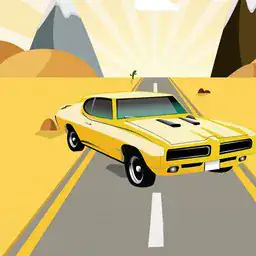
Old Timer Cars Coloring is basically a digital coloring book, but specifically for vintage cars. I picked it up thinking it would be a quick time-waster, but I ended up spending way longer than I expected on just one car. The game gives you eight old-school rides to work with--stuff like classic coupes and roadsters that look straight out of a 1950s car show. Each car is drawn in a clean, almost retro-comic style, with thick black outlines and simple shapes that make coloring feel satisfyingly precise. There's no time limit or score, which is nice; you just pick a pencil color from a pretty big palette and start filling in the panels. You can adjust the pencil separately, so you're not stuck with preset shades. That actually matters because some of these cars look amazing in weird custom colors, like a lime green convertible or a deep purple sedan. The vibe is relaxing but not boring--it's more like doing a jigsaw puzzle without the frustration. The cars are already perfect, so you're not fixing anything; you're just deciding what paint job they'd get. Audio is minimal, just some light background music that doesn't get in the way. Who'd get hooked? People who like coloring apps but are tired of flowers or mandalas. Car fans might enjoy it just for the models, but honestly, anyone who wants to zone out for ten minutes and make something look pretty should give it a shot.
About Old Timer Cars Coloring
So you pick a car from the main menu -- there's eight of them, all classic models like the '57 Bel Air and a '32 Ford roadster. Each one is just a black-and-white outline on a clean white background. The game doesn't mess around with timers or scores. You get a set of colored pencils on the left side -- they're not just basic colors, each one has a slider that adjusts the hue, so you can make a custom teal or a deep burgundy if you want. You click a pencil to select it, then you click on the car's body panels to fill them in. It's point-and-click, no drag needed. The satisfying part is watching the color snap into the lines perfectly -- no spills, no mess. After you finish coloring, there's a 'spotlight' button that puts your car on a rotating pedestal with a light effect, like it's in a showroom. That's the main loop: pick a car, color it, admire it.
Difficulty doesn't really build because it's pure relaxation, but the later cars have more intricate linework -- the '33 Duesenberg has these thin wire spokes and separate hood louvers that take patience. No timers, no enemies, no upgrades. What keeps you going is the urge to match real-life classic colors or experiment with wild combos. One tip: use the darker shades for the tires and the lighter ones for the chrome bits -- the game doesn't force realism, but it looks better when you do. The satisfying moment is hitting that spotlight after finishing all eight cars -- you get a gallery view where you can cycle through your finished rides. There's no end screen or credits, just a quiet loop of picking and painting. Some people will color a car once and never touch it again. Others will come back to tweak the '56 Thunderbird ten times until the blue feels right. The controls are just mouse clicks or finger taps on touchscreens. That's the whole thing -- it's simple, it's calm, and it doesn't pretend to be more than that.
Tips & Tricks
The pencil size slider is your best friend, but it's easy to overlook. I spent way too long trying to color the tiny chrome details with a big nib, smearing paint everywhere, before realizing you can shrink it down for precision work. On the flip side, using the largest size for the car's main body panels saves a ton of time--just don't overdo it on the edges or you'll bleed into the windows. The undo button works per stroke, so if you mess up a line, you can backtrack without restarting the whole car. That's huge for fixing small mistakes. Here's a trick that clicked late for me: the pencil colors look darker on the car than they do in the palette preview, so test a color on a small hidden spot first. I painted a whole coupe in what I thought was a pale cream, but it came out mustard yellow. Also, don't bother trying to color the background--it stays white, and that's fine, the cars pop better without extra clutter. Focus on the car itself, especially the grilles and headlights, which look amazing when you take time with them. One more thing: the 'restore to original' button is there for a reason. I was stubborn and never used it, but if your custom color scheme feels off, just reset and try again fresh instead of layering more paint over it.















Comments
Please login to leave a comment.