Scan to play on mobile
Block Blast jewel puzzle
How to Play
Game Overview
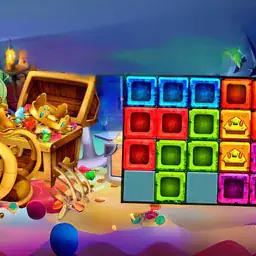
Block Blast: Jewel Puzzle is one of those games that looks simple but sneaks up on you. The visual style is bright and colorful, with jewel-toned blocks that feel satisfying to drag into place on a grid. Honestly, the whole thing has a relaxed vibe most of the time, but there's this constant itch to just slot one more piece in. You're basically fitting different shaped blocks together to clear lines, like Tetris but without the frantic falling. The sound effects are pleasant little clicks and pops, nothing annoying. What got me was how the difficulty ramps up gradually -- in Level Mode, some stages make you really plan ahead because the pieces don't cooperate. Timer Mode is for when you want stress, though; I avoid it mostly. Classic Mode is where I chill out, just stacking endlessly while listening to a podcast. The global leaderboard exists, but I barely notice it unless I'm trying to beat a friend's score. Who'd get hooked? People who like puzzles that don't punish you for taking your time, or anyone who enjoyed Tetris or block puzzles on a bus. It's not groundbreaking, but it's solid, and the jewel theme makes it feel fancier than a free phone game. My only gripe is the ads sometimes pop up at bad moments, but the gameplay loop is strong enough that I keep coming back.
About Block Blast jewel puzzle
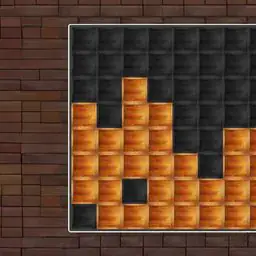
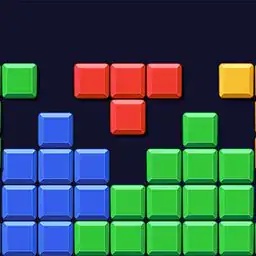
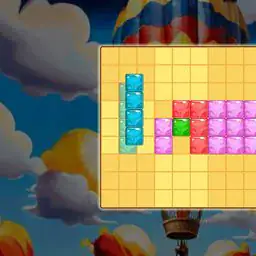
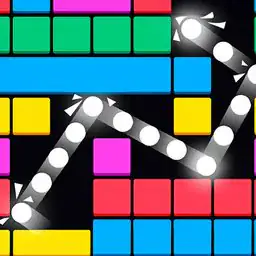
Block Blast: Jewel Puzzle starts simple enough. You get a grid -- 8x8 in Classic, smaller or bigger depending on the level mode stage -- and blocks of different shapes fall into a queue at the bottom. Your job is to drag them into place with your finger or mouse. Full rows or columns clear, points rack up, and the game keeps feeding you pieces. That''s the core loop: place, clear, repeat. But it gets messy fast.
Classic mode is chill, no timer, just you and an endless supply of blocks. The moment you miss a spot or leave a gap, the board fills up like a Tetris nightmare. High scores come from chaining clears -- dropping a block that completes multiple lines at once, which feels great. The screen flashes, numbers pop, and your score jumps. That''s the satisfying part.
Timer mode flips things. Sixty seconds on the clock, blocks drop faster, and you''re scrambling. Your hands move quick -- tap, drag, release -- while your brain calculates angles. Can that L-shaped piece fit in the corner or will it block the next set? Mistakes punish you hard because clearing takes time you don''t have. Leaderboard chasing gets intense here.
Level mode is where the real mechanics show up. Stages have names like "Crystal Maze" or "Gem Rush" -- I think there''s 60 of them? Early levels teach basics: just fill rows. Around level 15, locked tiles appear. These are gray squares that need a block placed directly on them before they unlock. You can''t clear lines through them. Then come obstacle blocks -- little brown rocks that eat up space. By level 30, you get bomb blocks that explode a 3x3 area when cleared. Dropping one in the wrong spot messes your whole board 💥.
Later stages mix these. One level might have locked tiles in a cross pattern and bombs spawning every fifth piece. Your brain works overtime figuring placement order. The satisfying moments? When you clear a full board -- called a "Jewel Clear" -- and everything disappears at once. Or when you finish a tough stage with one move left. The game rewards that with bonus points and a little star animation.
Upgrades? Not really here. No skill trees or power-ups you buy. The progression is purely your own skill. You learn to look ahead, to leave space for awkward pieces. The controls are fine -- no lag, responsive drag. On mobile it''s smoother than desktop, but both work.
Leaderboard shows top players globally. Last I checked, the number one score in Timer mode was over 50,000. I''m nowhere near that. The game doesn''t tell you how to stack efficiently -- that''s something you figure out after losing fifty times. Block Blast doesn''t hold your hand, which is good. It just throws blocks and says good luck 🏅.
Tips & Tricks
The timer mode is where I lost the most games early on. My big mistake? Trying to place each block perfectly instead of just getting it on the board fast. Speed matters more than a clean layout when seconds count, so drop blocks wherever they fit and fix gaps later. For classic mode, ignore the urge to stack everything in the center. Corners and edges are your friends -- building outward from the edges leaves more room for weird-shaped pieces, and that saved me from being stuck with no moves left. Level mode has some sneaky stages that look impossible at first. Here's something the tutorial never says: you can rotate blocks before dragging them by double-tapping on mobile or pressing the spacebar on PC. That trick unlocks way more placements than you'd think. A thing that clicked for me in competitive play is watching the next block preview. If a long line piece is coming, leave an open row or column to slot it in fast -- clearing a line nets bonus points and buys time. One more tip: don't waste moves on tiny gaps early in a round. Focus on filling big spaces first, because those small holes usually get filled by accident later. And seriously, take a breath before timer mode starts -- rushing too hard just makes you fumble blocks off the grid.









Comments
Please login to leave a comment.