Scan to play on mobile
Construction Set - 3D Builder
How to Play
Game Overview
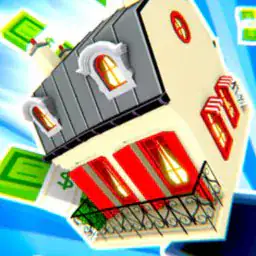
So I picked up Construction Set - 3D Builder expecting another brainless block-stacker, but it''s actually more like a digital sandbox for anyone who liked playing with LEGOs as a kid but never wanted to clean up. The whole thing is about snapping together these pre-made pieces -- bricks, panels, roofs, windows -- to build whatever pops into your head. There''s no timer, no scoring system yelling at you, just a quiet interface with soft ambient music that makes it feel less like a game and more like a chill hobby. Visuals are clean and colorful, not trying to blow your mind with realism, but everything has this pleasant toy-like quality. Pieces fit together with a satisfying click sound, and the physics engine actually matters: if you stack things badly, your tower will wobble and collapse, which is funny the first time but annoying when you''re trying to make something precise. The settings range from a grassy field to a snowy mountain to a futuristic city backdrop, but honestly you''re mostly staring at your own construction. Controls are simple -- left-click to pick a piece, right-click to zoom, drag to rotate -- so you can get building in seconds. Who would like this? Probably people who enjoy Zen puzzle games like Townscaper or those who just want to zone out and make something pretty without pressure. It''s not deep, but it doesn''t pretend to be.
About Construction Set - 3D Builder
Construction Set - 3D Builder isn't really about racing or high scores. You pick a level from a grid, like Forest Cabin or City Bridge, and suddenly you're staring at a ghost outline of a structure. Your job is to fill it in using a set of blocks -- cubes, cylinders, wedges, arches -- scattered around a palette. The early levels, like Shed Basics, are kind to you. You just drag a few wooden blocks into place, and the game snaps them into the outline if you're close enough. It feels almost like digital Lego.
The loop is simple: look at the target shape, grab a piece from the tray on the left, rotate it with the scroll wheel or a tap-and-drag, and click it onto the skeleton. The physics engine is real, though. If you stack a cylinder on a thin plank without support, the whole thing wobbles and can collapse. That's where the brain comes in. Around level 10, Stone Archway, the outlines stop showing the internal supports. You have to guess where to put a pillar before the roof crushes your work. The satisfying moment is when the final piece clicks in and the game chimes -- the structure holds, and you get a star rating based on time and stability.
Later on, mechanics like Weight Points appear. A small red dot marks where stress builds. You need to add triangular braces or crossbeams, which the game calls Stabilizers. These unlock around Suspension Bridge Part 1. There are no enemies -- it's all pure construction. But the difficulty ramps hard. Clock Tower throws in moving parts: a gear system you have to align with pin slots. Miss the angle by a few degrees and the gear won't spin when you test it. The test button is a little play icon that runs a short animation of your structure under simulated wind or load.
Your hands do a lot of clicking and dragging, sometimes panning the camera with the right mouse button or double-tap on mobile. There's no upgrade system, but you earn blueprints for new themes -- Arctic Station after finishing the forest set, Neon City after the urban ones. The most satisfying moments come from fixing a wobbly tower by wedging a single diagonal block in just the right spot, then watching the test animation run smooth. It's not a game that shouts at you. It just lets you build, collapse, rebuild, and eventually get it right.
Tips & Tricks
Pay attention to how pieces connect at their edges -- some snap together tighter than others, and a loose fit will wobble later when you add more weight on top. I learned this the hard way after my third tower collapsed halfway through. The zoom function isn''t just for looking; use the right mouse button to get a close-up view of those connection points, especially on mobile where double-tap and hold lets you inspect tricky angles. Rotate the camera around your build frequently -- a structure that looks balanced from one side might be leaning like crazy from another, and fixing it early saves you from rebuilding entire sections. Don''t hoard pieces assuming you''ll find the perfect spot later; the game throws new ones at you constantly, so use what you have now and adjust as you go. For bigger builds, work from the bottom up and test stability by nudging parts gently -- if something shifts, reinforce it with cross-pieces before adding the next level. The soothing music is nice, but it can lull you into rushing; take breaks between floors to step back and check your work from a distance. Trees and walls in the background sometimes block your view, so don''t hesitate to reset the camera angle completely.



















Comments
Please login to leave a comment.