Scan to play on mobile
Voxel Master
How to Play
Game Overview
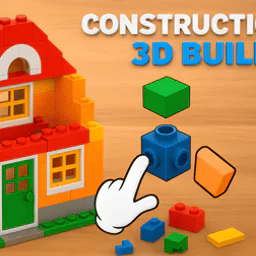
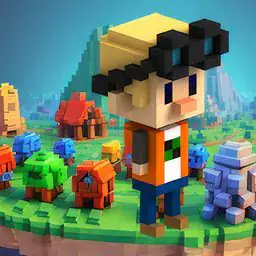
So Voxel Master is basically a block-building puzzle game that''s also a sandbox, and I''ve been messing with it for a while. The visual style is all chunky cubes with clean edges, like someone digitized a box of LEGOs but forgot to add textures -- it''s bright and simple, almost like those old Minecraft alpha builds but more focused. You start in puzzle mode, and the game shows you a completed 3D model made of colored blocks, then scrambles it into a grid. Your job is to rebuild it block by block, using hints that reveal layers or colors if you''re stuck. Some levels are tiny, like a single red apple on a plate, but later ones get huge -- think a whole castle with towers, and you''re placing each cube one at a time. It feels methodical, almost zen, until you misplace a block and have to hunt for your mistake. The camera controls are fine -- drag to rotate, scroll to zoom -- but mobile is actually smoother for panning around. Sandbox mode is where the real fun lives, though. You get a blank grid -- small for quick builds, massive for detailed stuff -- and you just stack blocks. I spent an hour making a spaceship that looked like a flying brick, but my friend built a cat that actually resembled a cat. The game saves everything locally, so you can share files, but there''s no online gallery, which is a shame. Who''d get hooked? Puzzle fans who love spatial thinking, or anyone who enjoyed those 3D block puzzles as a kid. It''s not flashy, but it''s solid -- like a digital fidget toy that occasionally makes you feel smart.
About Voxel Master
Voxel Master is one of those games that sounds simple until you're twenty levels deep and staring at a half-finished 3D turtle wondering where its legs go. There's a puzzle mode and a sandbox mode, and honestly, both eat up time in different ways. In puzzle mode, the game shows you a finished model from a few angles -- you can spin the camera around it, zoom in, check every side -- and then you have to rebuild it yourself on an empty grid. The grid starts small, like 6x6x6, and the models are basic shapes: a red cube, a blue pyramid, that kind of thing. But by level 50 you're on a 12x12x12 grid and the target is something like a cherry blossom tree with pink blocks scattered around green cubes for leaves, and you have to count each block's position manually because the hint only shows the outside. The controls are straightforward: left click to place or remove a block, drag to rotate the view, scroll to zoom, WASD to pan. On mobile, tap places a block and swipe rotates the camera. The satisfying moment comes when you finish a model that took ten minutes -- the game does a little animation, the model rotates on its own, and you see your work from every side. Some levels have names like "Symmetry Test" or "Staggered Spire" that hint at what's coming. Later mechanics include color matching -- you have to use specific colored blocks from a limited palette, and if you run out of a color, you have to break down parts and reuse blocks. There's also a ghost block system in harder levels where some positions are pre-filled with translucent blocks you can't remove, forcing you to build around them. The sandbox mode is less structured: you pick a grid size, any block color from a big palette, and just build. You can save creations and share them as files with friends. The game doesn't explain everything upfront -- for example, holding shift while placing a block lets you place a line of blocks in a row, which is useful for walls. The difficulty curve is real; around level 80, you get puzzles where the model is shown only as a silhouette for the first five seconds before it fills in, so you have to memorize the shape. That part is stressful but works well. There are no enemies or upgrades, just the puzzle itself. The core loop is: look, plan, place, check, adjust, finish. Some levels take two minutes, some take twenty. The game doesn't force you to replay anything, which is nice because failing a level just means you can restart or undo blocks one at a time. The undo is limited to your last ten actions, so careful planning matters. I haven't tried sharing creations yet, but the save system lets you name files and load them later. It's a surprisingly deep toy for something that's just blocks.
Tips & Tricks
Starting out, I kept losing track of which blocks I already placed versus what was still missing. The game has a semi-transparent ghost preview if you hover over an empty spot -- use it religiously. It saves you from constantly flipping back to the target model. Another thing: the camera rotation speed feels twitchy by default. I dialed it down in settings, and suddenly my precision placements were way less frustrating. In puzzle mode, some levels hide blocks behind others that are the same color. Rotating the view 45 degrees often reveals these optical trick blocks you'd miss head-on. The built-in undo button (Ctrl+Z on PC) only goes back three steps, which is annoying. I started placing blocks from the bottom up and working left to right -- that way, if I messed up, the undo didn't waste my progress on earlier layers. For sandbox mode, the grid size matters more than you think. A 16x16x16 grid sounds huge but fills up fast if you make chunky shapes. Start smaller unless you're planning something detailed. One thing that clicked late: you can hold the mouse button and drag to place a line of blocks in a straight row. That's not explained anywhere, but it speeds up filling flat surfaces massively. Also, saving creations uses a local file format -- no cloud backup. I lost a cool castle when I reinstalled the game. Keep copies of your favorite saves in a folder somewhere. Lastly, the color palette has a eyedropper tool (middle-click on PC) that picks up any block's color from the model. I wish I'd known that before spending minutes trying to match shades manually.






Comments
Please login to leave a comment.