Scan to play on mobile
Squid Game Player 456 Sliding
How to Play
Game Overview
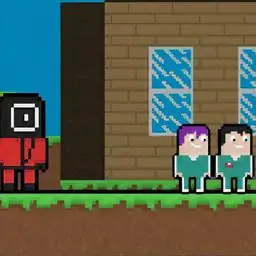
Squid Game Player 456 Sliding is a sliding puzzle game based on the Netflix show, but don't expect any of the life-or-death tension from the series. You're just moving tiles around to recreate scenes from the show -- the green-lit doll, the glass bridge, the dormitory. The visual style is simple and clean, with flat, colorful tiles that look like they were pulled from a mobile game from a few years back. It's not ugly, but it's not particularly impressive either. The vibe is oddly chill for a game tied to Squid Game -- there's no timer, no pressure, just you and a scrambled picture. You click on a tile to slide it into the empty space, and that's basically the whole interaction. The puzzles start off small, like 3x3 grids, but ramp up to 4x4 and 5x5 sizes, which can get genuinely tricky. What feels like playing is mostly quiet concentration -- you're staring at a mess and trying to rebuild it piece by piece. There's a move counter, which adds a little self-imposed challenge if you're competitive. Honestly, this game would hook people who like brain teasers or those who want something to fiddle with while listening to a podcast. Fans of the show might check it out for the nostalgia factor, but the show's dark themes are completely absent here. It's just a solid, no-frills puzzle game that doesn't pretend to be more than what it is.
About Squid Game Player 456 Sliding
Alright so you''re looking at Squid Game Player 456 Sliding as a two-player thing. That''s the twist. You''re not just solving sliding puzzles alone; you''re racing or cooperating depending on the mode. The main loop is dead simple: you get a scrambled image from the show--like Player 456 standing in the Red Light, Green Light field or the glass bridge with tiles missing--and you have to slide the pieces back into order by clicking on adjacent tiles to swap them. You''re only using the mouse, clicking one tile then the next to shift them around. The objective? Complete the image in as few moves as possible while the other player does the same or helps you. In the versus mode, whoever finishes first wins, and that''s where the tension hits. You''re clicking fast, trying to plan three moves ahead, but your brain fumbles because you''re also glancing at the other screen to see if they''re ahead. The co-op mode is more chill--you both work on halves of a bigger picture, like the dormitory scene, and you have to communicate which tiles you need. Difficulty ramps up fast. Early levels are small grids, maybe 3x3 with big obvious pieces like the green tracksuits or the giant doll''s face. But by level ten, you''re on 5x5 grids with images that all look similar--like the VIPs'' masked faces blending into the background. Later mechanics include locked tiles that can''t be moved until you solve a mini-puzzle on them, like matching a symbol. There''s also a timer mode that punishes slow play by adding more scrambled tiles every ten seconds. The satisfying moments come when you''re on the last three tiles and you can see the pattern click into place with one or two moves. The game throws in enemy types too--sort of. In some levels, a guard''s head scans the grid, and if you move a tile while he''s looking, it locks up for a few seconds. No upgrade system really, but there are star ratings per level based on move count, and unlocking new levels requires collecting stars. Level names like "Marbles Alley" or "Tug of War Platform" are fun callbacks. So you''re clicking, thinking, sweating over move counts, and occasionally yelling at the other player for taking too long. That''s the loop.
Tips & Tricks
The first thing to realize is that corner pieces are your best friends. Start by framing out the border of the image -- it's way easier to lock in those edges before tackling the messy middle. I wasted a ton of moves early on trying to fit center tiles first, which just scrambled everything.
When you're stuck, look for color blocks or distinct patterns in the original scene. The Red Light, Green Light arena has that big doll in the center -- use her dress color as an anchor. Matching a tile's dominant hue to its rough position saves you from guesswork.
Don't bother trying to memorize the whole picture at once. Just glance at the reference thumbnail long enough to grab one or two details -- a guard's mask, a number on a player's shirt. Then scan your tiles for those specific shapes. The glass bridge level is brutal if you don't do this because all the tiles look too similar.
Moves matter a lot for your score, but here's the thing: you can undo a move with the right-click. I didn't notice that until level four. Abuse it when you slide a tile to a spot that clearly doesn't fit -- it lets you backtrack without penalty.
Another trick that clicked for me: work in rows from top to bottom. Once the top row is set, lock it mentally and never touch those tiles again. This prevents you from re-scrambling progress, which was my biggest mistake early on. The last row is always the hardest because you have so little room to maneuver, so leave it for last.
One weird tip: if you're really stuck on a level, take a break. Coming back with fresh eyes makes you notice tile connections you'd been overlooking. The game punishes rushing hard.


Comments
Please login to leave a comment.