Scan to play on mobile
Chibi Doll Art Magic
How to Play
Game Overview
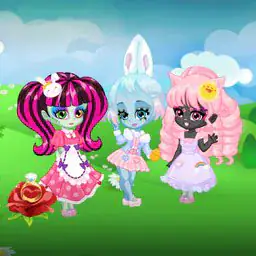
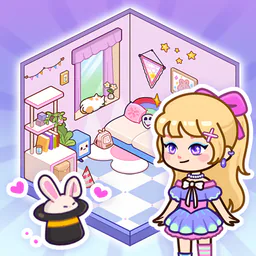
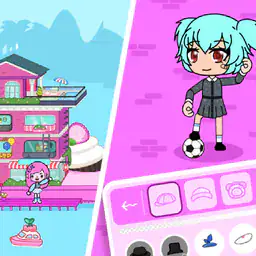
So I picked up Chibi Doll Art Magic expecting just another dress-up game, but it''s actually way more hands-on than I thought. You start with a blank little chibi character--tiny, round head, big eyes, that whole super-cute anime style--and then you get to mess with everything. Hair, eyes, outfits, little wings or animal ears, whatever. The color palette is huge, and there are layers for things like blush or freckles or even little sparkles stuck to the cheeks. The vibe is very pastel and soft, like a cotton candy dreamland, but you can also go darker if you want--gothic dresses and moody backgrounds are options too. What surprised me is the animation tool. You can pick parts of your doll and make them glow, float, or twinkle, which sounds simple but actually makes them feel alive. There''s no story mode or levels to beat--it''s just you and a ton of sliders, brushes, and stickers. The music is chill, like lo-fi beats, so it''s easy to lose an hour tweaking the angle of a ribbon. The community gallery is full of wild creations, some really polished, some goofy. I think anyone who liked those old paper doll books or just enjoys customizing characters in games would get hooked. It''s not some deep RPG, just a cozy creative sandbox that respects your time.
About Chibi Doll Art Magic
So you boot up **Chibi Doll Art Magic** and it's basically a dress-up game with a sparkly twist. The main screen shows a blank chibi figure -- big head, tiny body, those kind of proportions -- and a toolbar on the side. You start with the basics: pick a skin tone, eye shape, and hair style. There's like thirty eye types alone, from round anime ones to sleepy half-lids, and each comes in about sixteen colors. You'll spend your first ten minutes just cycling through eye options, which is honestly the loop in a nutshell. The controls are all mouse -- click to select, drag to adjust, and right-click to remove something. No keyboard shortcuts, which is fine because you're mostly staring at palettes. The satisfying part comes when you layer things. For example, you can add a blush layer, then a freckle layer, then a little star sticker near the eye. The game doesn't force any order, so you can stack items however you want. There's a 'randomize' button that generates a whole doll, and it's fun to hit that five times in a row just to see the weird combos -- like a mermaid tail with a pirate hat and robot arm. Difficulty doesn't really ramp up in a traditional sense because there's no timer or fail state. The challenge is more about unlocking new items. You earn 'magic dust' by completing daily quests -- stuff like 'dress a doll in all pink' or 'use five different hair accessories.' Those quests repeat, but they rotate themes. Later, you unlock the animation tool, which is the real hook. You can pick a pose -- there's about a dozen, like 'twirl,' 'wave,' 'float' -- and then layer effects on top. Glowing auras come in different shapes: heart, star, swirl. There's also a 'sparkle brush' you can click to paint little glitter trails onto the doll's clothes. The backgrounds are separate from the doll, so you can set a forest scene, then move your animated doll around it by clicking and dragging. One weird thing: the game has a 'magic mirror' feature where your doll appears in a random background with a random animation, and you have to guess which background it is from three options. That's the closest thing to a puzzle. Community sharing is huge -- you can upload your doll to the gallery, and other players can 'like' it or remix it. Remixing is basically taking someone else's doll and changing a few parts, which sounds lazy but actually leads to cool collabs. The game never really ends. You just keep unlocking more hair clips and staff props. There's a 'mystery box' system that drops random items every few hours, and you can watch ads to speed that up. It's not deep, but it's sticky. The satisfying moment is when you spend twenty minutes on a doll's outfit, hit the animate button, and watch it sparkle in a custom background. That little payoff keeps you coming back.
Tips & Tricks
Layer order matters way more than you'd think. I spent an hour trying to get a crown to sit right on a hairstyle until I realized the game stacks items by the order you pick them -- not by slot. So pick your back items first, then clothes, then hair, then accessories. One trick that saved me tons of time: the 'undo' button only works for the last five actions. If you mess up a detail six steps back, you're better off just starting that section over. The magic effects aren't just cosmetic -- some of them actually change how your doll's face reacts. The 'sparkle' aura makes the eyes blink more often, which is weird but useful for portraits. Don't ignore the color wheel on hairstyles. It looks like a simple palette at first, but there's a hidden saturation slider if you click and drag sideways on a color swatch. I didn't find that until level 12. Backgrounds with moving elements -- like the waterfall or the starlit sky -- can slow down older phones pretty badly. If your game starts lagging, switch to a static background before adding more effects. The community sharing screen has a 'remix' option most people skip, but it's actually the best way to learn new layering tricks. You can take someone else's doll apart piece by piece to see how they made that perfect gradient dress.





Comments
Please login to leave a comment.