Scan to play on mobile
Game Factory
How to Play
Game Overview
So Game Factory is basically a game where you make games. I know, that sounds like a meta nightmare, but it's actually pretty neat. You start in this little pixelated studio with some basic tools and a couple of genres to pick from. The whole thing has this retro 8-bit vibe, all chunky sprites and bright colors, which fits because you're drawing your own pixel art for everything. It's not some fancy 3D engine or anything--you're literally placing blocks and painting sprites one pixel at a time, which feels surprisingly hands-on. You choose a genre like platformer or tower defense, then tweak all these sliders for speed, gravity, enemy count, that kind of stuff. Then you draw your character, your enemies, your backgrounds, pick a chiptune track, and hit test. That moment when your janky little game actually runs is weirdly satisfying. It's not about making the next big hit--it's more like messing around with a toy. The controls are simple, tap to draw, tap to place, but the depth comes from experimenting. You can share your creations with friends via a code, which is cool, and earning coins lets you upgrade your studio and unlock more stuff. Who'd get hooked? Honestly, anyone who grew up playing flash games or messing with early game makers like RPG Maker. It's creative without being overwhelming, and the pixel art style gives it this cozy, nostalgic feel. Not a hardcore dev tool, but a fun little sandbox.
About Game Factory
Game Factory hands you a blank slate and a bunch of genre templates. You pick one -- say, a platformer -- and the real work starts. The loop is simple: fiddle with numbers, draw stuff, test, repeat until it feels right, then publish for coins. Your hands are clicking sliders and tapping pixel grids; your brain is balancing speed against gravity, enemy count against player health. Early on, you might slap together a match-3 with default sprites, publish it in ten minutes, and earn a handful of coins. That's fine for learning.
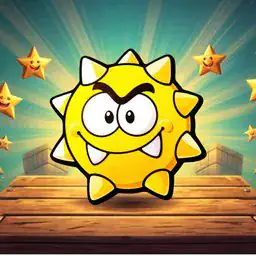
But the game gets its hooks in when you realize you can tweak things like jump force or enemy AI patterns. For the shooter genre, there's a "bullet spread" slider that changes everything -- crank it up and your guns become wild, useless chaos, so you learn to fine-tune. In tower defense, you place towers on a grid during the level editor, then test if enemies can actually path around them. The satisfying moment comes when you draw a pixel art boss -- like a giant angry slime with googly eyes -- and it actually moves across the screen in your runner level called "Lava Dash." Seeing that thing chase your sprite feels ridiculous and great.
Difficulty builds naturally as you unlock harder genres. Your first few games earn coins slowly, but once you upgrade the studio -- buying the "Sprite Animation Pack" or the "Advanced Sound Studio" -- you can add frames to your drawings or layer multiple tracks. The game doesn't hold your hand with tutorials; you figure out that the "XP multiplier" upgrade doubles your earnings for a week, which makes grinding feel worth it. Later, you unlock the clicker genre, which is surprisingly deep -- you can set click power, auto-income rates, and even prestige mechanics that reset progress for permanent bonuses. That's where the brainwork kicks in: do you publish a quick-and-dirty game for fast coins, or spend hours perfecting a single platformer for a bigger payout?
Enemy types are basic but customizable -- you rename them from "Goblin" to "Angry Potato" and tweak their speed and health sliders. The music tracks loop but fit the vibe: a chiptune beat for platformers, a tense synth for shooters. Sharing via code lets friends play your "Space Squirrel vs. Cats" runner, which feels like showing off a weird little art project. There's no story, no ending -- just an endless loop of creating, testing, earning, upgrading. The grind is real, but making something that actually works -- and watching someone else play it -- is the whole point 💥.
Tips & Tricks
When you're starting out, resist the urge to make everything perfect in your first game. The tutorial pushes you to publish fast, and that's actually smart -- early coins unlock better sprite packs that make later games look way less janky. I wasted hours pixel-painting a character I replaced three games later. The Drawing tab has a duplicate button I didn't notice for way too long. It saves your custom sprites as templates, so you can tweak them instead of starting from scratch each time. For platformers specifically, gravity at 0.6 and speed at 4 felt the most playable to me -- anything higher and your character launches off edges like a rocket. Match-3 games earn coins faster than any other genre during testing, which is handy if you're grinding for upgrades. The Test button doesn't cost anything, so spam it constantly. I once published a game where enemies spawned inside walls because I never bothered to play the whole level. Speaking of walls, the level editor lets you place blocks that are invisible during testing -- that's a bug, not a feature, so double-check your layout. One trick that clicked later: you can hold the music note icon while testing to skip to the next track, which is great when a song starts driving you crazy. Share codes expire after a week, so send them to friends right when you publish, not the next day.





Comments
Please login to leave a comment.